Pinnacle × WordPress
Pinnacle parts on your website
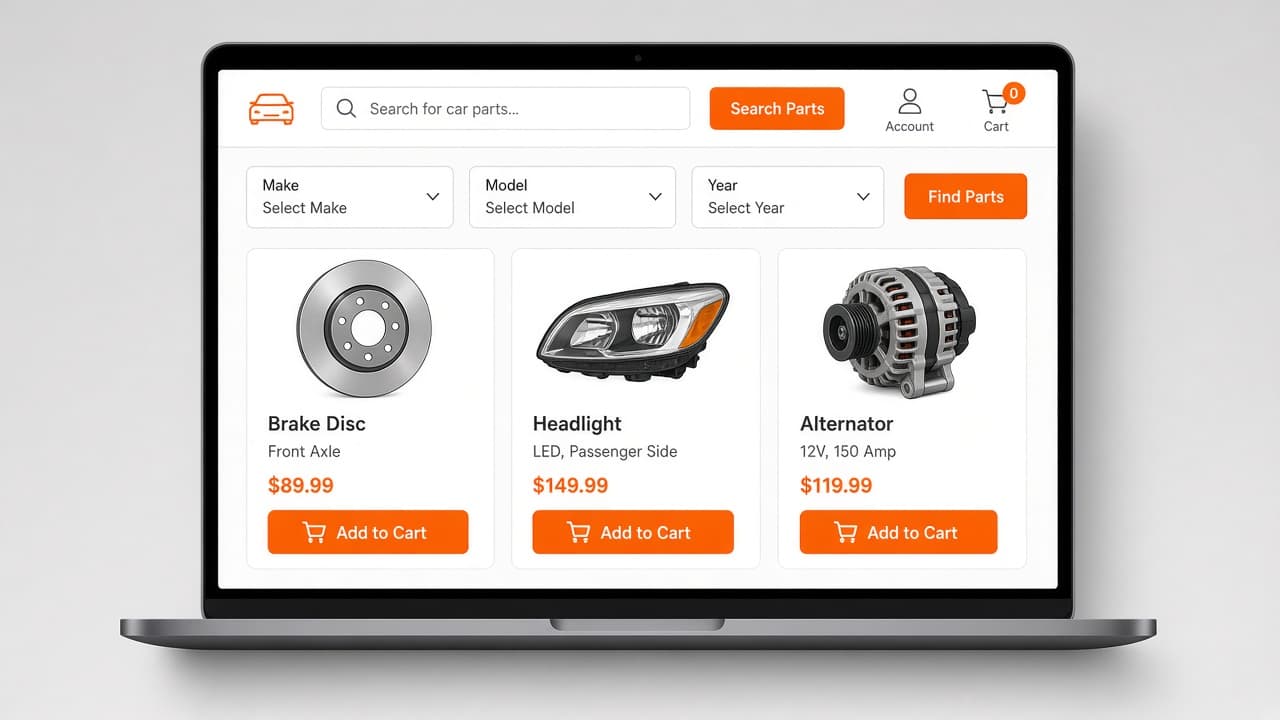
Customers search live Pinnacle inventory on your site — make, model, year, category — and add parts to cart. The plugin is a one-off purchase (offline). What you pay here is maintenance only.
Pinnacle is parts-recycling and inventory software from Solera — this plugin connects your WordPress site to the Pinnacle account you already run.
How it works
Two payments, two jobs. The plugin itself is not sold on this site. This site only bills the maintenance subscription that keeps updates and support going.
1. Plugin purchase (offline)
The one-time plugin cost is agreed and paid separately — not through this website. That fee is for the software licence to install Pinnacle Sync for WooCommerce on your WordPress site.
2. We set it up
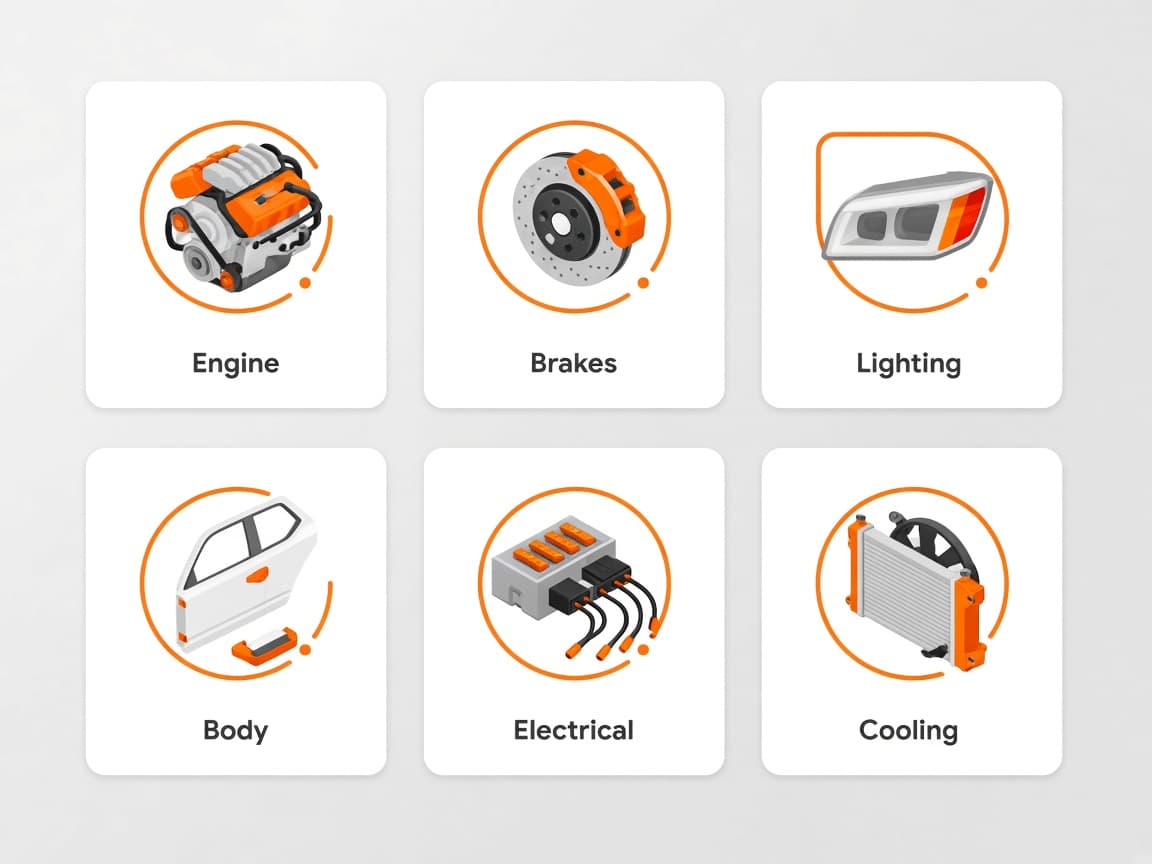
We install the plugin, connect your Pinnacle account, and wire search, make/model/year, category tiles, part pages, and cart/checkout into your theme or Elementor layout.
3. Licence key
You receive a licence key. Paste it in WordPress → Settings → Pinnacle Sync → License. The site checks in daily so we can see it is running and that maintenance is current.
4. Maintenance subscription (this website)
Ongoing updates and support are billed here as one subscription per business. You pay by payment link (monthly or annual). The invoice lists every product that amount covers — WooCommerce, eBay, and/or AI chat.
What goes live on your site
- Live parts search from your Pinnacle inventory
- Make, model, and year filters
- Category tiles and featured parts
- Part detail pages with images
- Add to cart and WooCommerce checkout
- Elementor widgets where you use Elementor
The full setup flow
From enquiry to a live catalogue — then a licence key and the maintenance billed on this site.
- 01
You enquire (this site). We quote the one-time plugin fee and the maintenance amount.
- 02
Plugin fee is paid offline. That is not a cart on this website.
- 03
You give us Pinnacle access and your WordPress site. We install Pinnacle Sync for WooCommerce.
- 04
Search, make/model/year, categories, part pages, and native WooCommerce cart/checkout go live on your theme (Elementor widgets if you use Elementor).
- 05
We issue a licence key for this plugin. You (or we) paste it under Settings → Pinnacle Sync → License. The site checks in daily with URL, site name, admin email, and versions — not your customer data.
- 06
We send a Razorpay payment link from this website for the first maintenance term. Paying it accepts the Terms, Privacy Policy, and Refund Policy.
- 07
While maintenance is current you get updates and support. One invoice total; it names every licensed product that amount covers.
- 08
If you later add eBay Sync or AI chat, we issue another key under the same client and raise the same subscription. No second account.
- 09
If a term expires: the plugin stays; we pause updates and support. Catalogue is not wiped. AI chat (if you have it) is turned off. Restarting is a new paid term at then-current rates.
Add AI chat to this site
Two ways to add it, depending on whether this site has the WooCommerce catalogue. Quoted for your site — no fixed price shown here.
Chat + catalogue
Needs the WooCommerce catalogue on this site
The chat searches your live Pinnacle inventory and lets the customer choose to enquire or buy. A purchase gets a secure, pre-filled checkout link, re-priced against live Pinnacle data — never a price quoted by the chat itself.
Pinnacle AI chat
Works without the WooCommerce catalogue
Answers questions about your parts and business, and turns every conversation into a ready-to-work enquiry in your dashboard. No cart, no checkout — enquiries only.
If you add more later
Same business, same subscription. If you later want Pinnacle → eBay Sync or AI chat, we issue another licence key under the same client and raise the maintenance amount. You do not get a second account. The next invoice names every product that one amount covers. Coming back after a lapse is the same: you pay a new maintenance term at the current rate. You do not buy the plugin again unless we agreed that in writing for a new site.
Pinnacle → eBay Sync
List the same stock on eBay with a separate licence key, still on this subscription.
If maintenance is not renewed
The plugin stays installed. Parts can keep showing on the version you already have. We stop providing updates, bugfixes, and support until you pay again. We do not remotely wipe your site. AI chat (if you have it) is different: the live chat is switched off when the subscription expires. Full detail is in our Terms and Refund Policy.
Ready to put Pinnacle on the site?
This enquiry covers the Pinnacle website catalogue, AI chat, or both — tell us which. We quote the plugin offline and the maintenance here.